5 Tips to Get Better at FPS Games
"Dominate the battlefield: 5 tips to excel in FPS games!"
First-person shooters (FPS) are among the most popular genres in gaming. To excel in these games, developing specific skills and implementing effective strategies is essential. Here are five tips to help you get better at FPS games: perfect your aim, master the maps, optimize your game settings, communicate effectively with your team, and analyze your matches to identify areas for improvement. By following this advice, you'll quickly level up and become a formidable player.
Optimize Your Gear for Better Accuracy
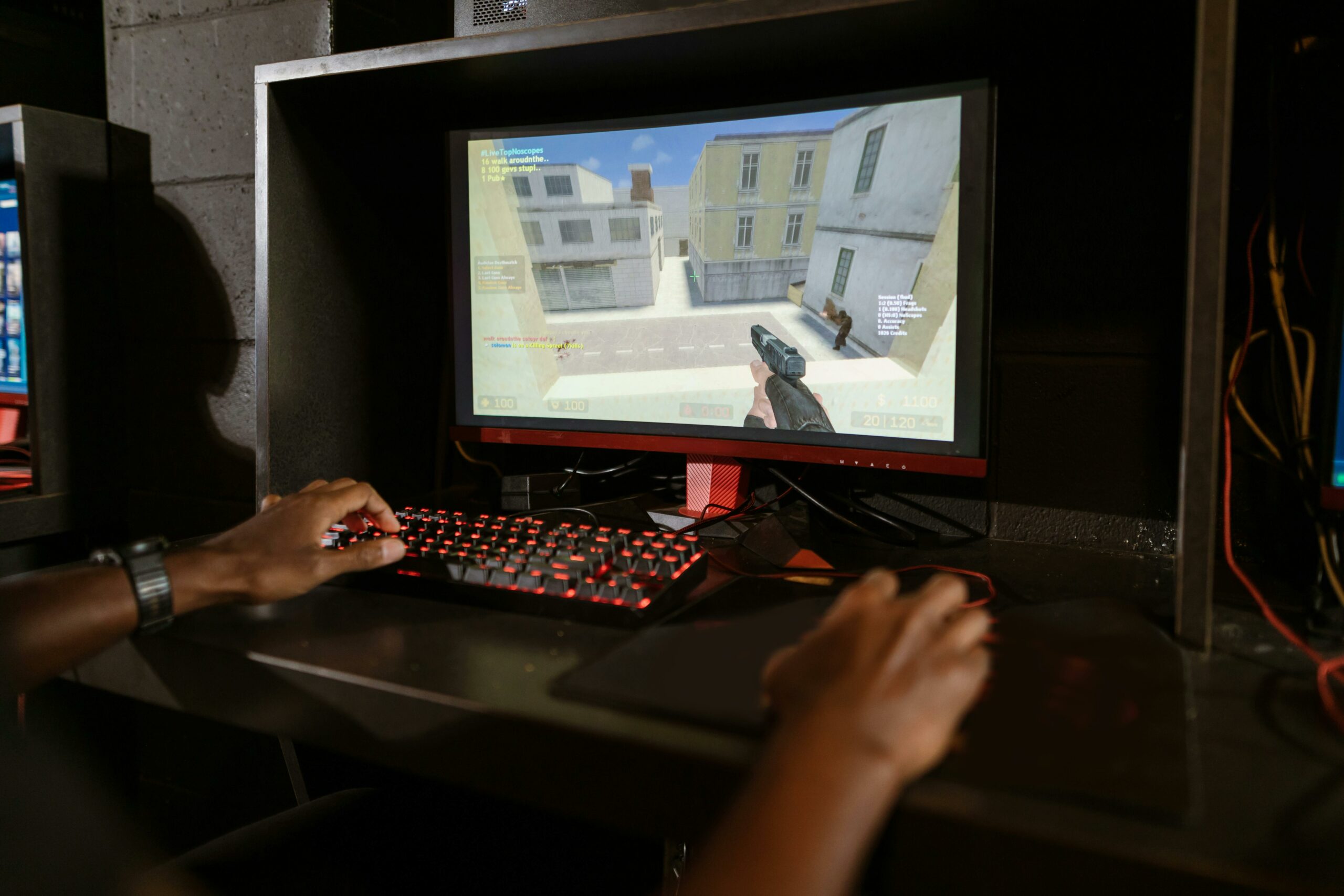
To excel in first-person shooters (FPS), having optimized gear that can drastically improve your accuracy is crucial. The first step is choosing a high-quality mouse. A gaming mouse with a precise sensor and high sensitivity (DPI) will allow you to aim with pinpoint accuracy. It's also important to customize your mouse settings to fit your playstyle. For example, tweaking your mouse sensitivity in the game settings can help you strike the perfect balance between speed and precision.
Next, your choice of mousepad shouldn't be overlooked. A high-quality mousepad provides a smooth, uniform surface, allowing for more fluid and precise movements. Cloth mousepads are often preferred by professional gamers because they offer excellent control. Plus, a large mousepad gives you more room to make sweeping movements without running out of space.
Alongside your mouse, it's essential to pay attention to your keyboard. Mechanical keyboards are highly recommended for FPS games due to their responsiveness and durability. Mechanical switches offer tactile feedback that can actually improve your reaction time. Moreover, many gaming keyboards let you customize keybinds for specific actions, giving you a distinct competitive edge.
The importance of a good headset cannot be overstated. A quality headset lets you hear footsteps, gunfire, and other critical in-game audio cues much clearer, granting you a major strategic advantage. Surround sound headsets are especially useful for pinpointing enemy locations. Also, make sure your headset is comfortable enough for long gaming sessions, as discomfort can break your focus and hurt your performance.
Finally, optimizing your display is another vital step. A monitor with a high refresh rate (at least 144Hz) and a low response time makes on-screen movement much smoother while reducing motion blur. This makes tracking fast-moving targets a breeze. Additionally, tweaking your brightness and contrast settings can enhance enemy visibility in both dark and brightly lit environments.
Ultimately, optimizing your gear is an essential step toward improving your accuracy in FPS games. By choosing a high-quality mouse, an appropriate mousepad, a mechanical keyboard, a top-tier headset, and an optimized monitor, you create a gaming setup that maximizes your potential. Every piece of equipment plays a crucial role in your overall performance. Taking the time to customize and optimize these tools will give you a significant leg up on the competition.
Master the Maps to Anticipate Enemy Movements
To excel in first-person shooters, mastering the maps is crucial for anticipating your opponents' moves. This skill doesn't develop overnight, but with practice and a methodical approach, you can massively improve your gameplay. The first step to map mastery is in-depth exploration. Take the time to roam through every corner, corridor, and choke point. Familiarize yourself with high-traffic zones and spawn points. Knowing these locations allows you not only to predict where enemies are likely to pop up, but also to pinpoint the best spots to set up ambushes or avoid direct firefights.
Once you have a solid grasp of the layout, it's vital to pay attention to your opponents' habits. Observe their movements and try to spot recurring patterns. For example, some players might constantly rush the same lane or hunker down in specific areas. By identifying these tendencies, you can anticipate their actions and tweak your strategy on the fly. This gives you a massive advantage, allowing you to set up counterattacks or steer clear of potential traps.
At the same time, communicating effectively with your team is paramount. Share your callouts and listen to your teammates' feedback. Good communication helps coordinate your squad's efforts and cover different areas of the map more effectively. For instance, if you know an enemy is rotating toward a certain site, you can alert your team so they’re ready to intercept. Plus, by working together, you can pull off more complex plays like synchronized pushes or tactical diversions.
Leveraging the utility and equipment available in-game also plays a pivotal role in map control. Grenades, drones, and other gadgets can be used to clear out dangerous areas without putting your life on the line. Throwing a frag grenade down a hallway before peeking, for example, can flush out hidden enemies. Similarly, drones can provide a bird's-eye view of the battlefield to scout out enemy rotations. By using this utility strategically, you gather valuable intel and make smarter, more informed decisions.
Finally, don't forget to review your matches to analyze your performance. Replays are an invaluable resource for understanding what worked well and what needs work. By watching your matches, you can pinpoint mistakes and missed opportunities. You might realize, for instance, that you tend to ignore certain flanks or that your reaction times are too slow in specific scenarios. By keeping track of these flaws, you can adjust your approach and keep leveling up your game.
In short, mastering maps to anticipate enemy movements is a core skill for any FPS player looking to improve. By exploring the maps, studying enemy habits, communicating with your team, maximizing your utility, and analyzing your performance, you'll develop a deep understanding of your gaming environments and gain the upper hand over your opponents. With practice and persistence, you'll see massive improvements in your gameplay.
Improve Communication With Your Team
In the world of first-person shooters (FPS), communicating with your team is crucial for securing a win. Effective communication can turn a squad of average players into a formidable force. To step up your game in this area, you need to follow a few key tips that will help you better coordinate your actions with your teammates.
First off, understand that clarity is key. When talking to your team, make sure to be as precise and concise as possible. For instance, instead of just saying "There's an enemy over there," call out their exact position using specific landmarks or standard in-game callouts. This allows your teammates to react faster and more effectively. Furthermore, cut out the chatter—unnecessary information will only distract or confuse your squad.
Next, keeping a steady stream of communication is vital. Don’t just speak up when you spot an enemy or find yourself in trouble. Regularly update your team on your position, your intentions, and what you’re seeing on the map. If you're planning to flank, for example, let your squad know so they can adjust their strategy accordingly. Continuous communication keeps everyone on the same page and prevents fatal misunderstandings.
Additionally, active listening is just as essential. Communication isn’t a one-way street; it also means paying attention to the intel your teammates are sharing. By listening closely, you gain a better grasp of the big picture and can adapt your playstyle to the team's needs. If a teammate calls for backup, be ready to rotate and assist them quickly. Active listening builds team cohesion and improves collective decision-making.
It’s also highly beneficial to use specific callouts or terms to streamline and speed up your comms. Most FPS games have their own unique jargon, and familiarizing yourself with it is key to efficient communication. Terms like "rush," "camp," or "flank" are universally understood actions. By speaking this shared language, you can convey complex information quickly and clearly.
Finally, it’s important to stay calm and positive, even when the pressure is on. High-stress situations often lead to miscommunication or toxic team dynamics. By keeping your cool and encouraging your teammates, you help maintain a positive and productive gaming environment. Instead of flaming a teammate for a mistake, offer constructive suggestions on how to bounce back. A positive mindset fosters better collaboration and keeps team morale high.
Ultimately, improving team communication in FPS games requires clarity, consistency, active listening, precise terminology, and a positive attitude. By applying these tips, you won't just boost your individual performance; you'll significantly contribute to your team's success. Communication is the key to victory, and by mastering it, you give yourself the best possible chance to triumph in the competitive world of FPS gaming.
Practice Regularly to Sharpen Your Reflexes
To excel in first-person shooters (FPS), regular practice is crucial for honing your reflexes. Consistent gameplay is the key to improving not just your aim, but your reaction time and your ability to predict enemy movements. By dedicating time to play every day, you develop skills that eventually become second nature, allowing you to react faster and more efficiently during intense firefights.
One of the most important aspects of training is repetition. By playing regularly, you familiarize yourself with the game mechanics, maps, and typical player behaviors. This familiarity allows you to make quicker, more instinctive decisions. Knowing the respawn points and high-traffic zones on a map, for example, can give you a massive strategic advantage. Furthermore, repetition builds muscle memory, which is essential for fast, precise actions.
It’s also incredibly beneficial to mix up your training sessions. Don’t settle for playing the same game mode or running the same weapon loadout every time. Test out different modes, guns, and strategies to expand your skill set. This variety prepares you for a wider range of scenarios and makes you a more adaptable player. For instance, grinding "Deathmatch" can improve your close-quarters combat skills, while objective modes like "Capture the Flag" can sharpen your tactical sense and teamwork.
Reviewing your performance after a gaming session is just as critical. Take the time to analyze your matches, spot your mistakes, and figure out how to fix them. Many FPS titles offer replay features or detailed post-match stats that are incredibly useful for this kind of breakdown. By understanding where and why you failed, you can tailor your practice to target those specific weaknesses. If you notice you're struggling to aim while moving, for example, you can dedicate time to specific tracking exercises to improve that mechanic.
Furthermore, maintaining good physical and mental health shouldn't be overlooked. Lightning-fast reflexes and pinpoint accuracy require optimal hand-eye coordination, which can be improved through regular physical exercise and a balanced diet. Make sure to take frequent breaks to avoid eye strain and mental fatigue, both of which can tank your performance. Relaxation and stress-management techniques, like meditation or breathing exercises, can also do wonders for keeping your mind calm and focused.
Lastly, don't underestimate the power of the community. Joining forums, Discord servers, or gaming clans can provide excellent opportunities to learn from others and pick up valuable advice. Engaging with fellow players can expose you to new strategies and techniques you might never have considered. Plus, squadding up with friends or regular teammates naturally improves your communication and coordination—both critical elements for FPS success.
In conclusion, regular practice is absolutely essential for sharpening your reflexes and elevating your FPS skills. By combining repetition, gameplay variety, performance analysis, physical and mental well-being, and community engagement, you can make significant progress and become a much more competent, confident player.
Analyze Your Matches to Identify Your Weaknesses
To progress in first-person shooters (FPS), it is essential to understand and analyze your own performance. One of the most effective ways to achieve this is by reviewing your matches to identify weaknesses and areas that need improvement. This analytical approach not only helps correct recurring mistakes but also strengthens existing skills. By adopting this practice, you can transform your gaming sessions into genuine learning opportunities.
Start by recording your matches. Most modern FPS games offer built-in recording or replay features, which makes this step incredibly easy. If your game lacks this option, third-party software like OBS Studio can be used to capture your sessions. Once you have your recordings, take the time to watch them carefully. Look for moments where you were eliminated or missed crucial opportunities. Take note of these incidents and try to understand what went wrong. Was it an issue with positioning, aim, or perhaps poor decision-making?
When analyzing these moments, it's important to remain objective. It can be tempting to blame external factors like lag or your teammates' actions, but to improve, you must focus on what you can control. For instance, if you find yourself frequently caught off guard, it might indicate a lack of vigilance or poor map awareness. In this case, working on your situational awareness and learning to anticipate enemy movements would be highly beneficial.
Another useful technique is to compare your matches with those of more experienced players. Many professional gamers and streamers share their gameplay online, providing a goldmine of valuable information. By observing how these players handle similar situations, you can identify strategies and techniques to integrate into your own gameplay. Pay attention to differences in their positioning, weapon choices, and decision-making. These observations can offer concrete ways to elevate your own performance.
It is also highly beneficial to seek outside feedback. If you are part of a gaming community or a team, ask your teammates to watch your recordings and share their thoughts. They can offer different perspectives and pinpoint weaknesses you might have missed. Furthermore, discussing your matches with other players can lead to constructive conversations and practical advice.
Finally, putting the lessons learned from your analysis into practice is crucial. Identify one or two specific aspects of your gameplay to focus on during your upcoming sessions. For example, if you notice your aim lacks precision, dedicate some time to aim-training exercises before jumping into a match. By focusing on specific goals and tracking your progress, you can steadily level up your skills.
In conclusion, analyzing your matches is an essential step for any gamer looking to improve at FPS games. By recording and reviewing your performance, comparing it to more experienced players, seeking external feedback, and applying the lessons learned, you can successfully identify and correct your weaknesses. This methodical and thoughtful approach will allow you to make significant progress and become a more skilled, strategic player. To get better at FPS games, here are five essential tips:
1. **Consistent Practice**: Dedicate time every day to play, improving your reflexes and map knowledge.
2. **Optimized Settings**: Adjust your mouse sensitivity and graphics settings for smooth, responsive gameplay.
3. **Team Communication**: Use a microphone to coordinate with your teammates and share crucial information.
4. **Match Analysis**: Watch replays of your games to identify your mistakes and understand how to correct them.
5. **Learning the Mechanics**: Master different weapons, their characteristics, and movement techniques to gain a competitive edge in combat.
By applying these tips, you will gradually improve your skills and become a much stronger FPS player.